Connections

Your apps, connected on your terms.

Each connection uses the service’s own sign-in. Atlas reads from an app only when your request needs it, with the permissions you granted and the switches you turned on. Every write waits for your approval.
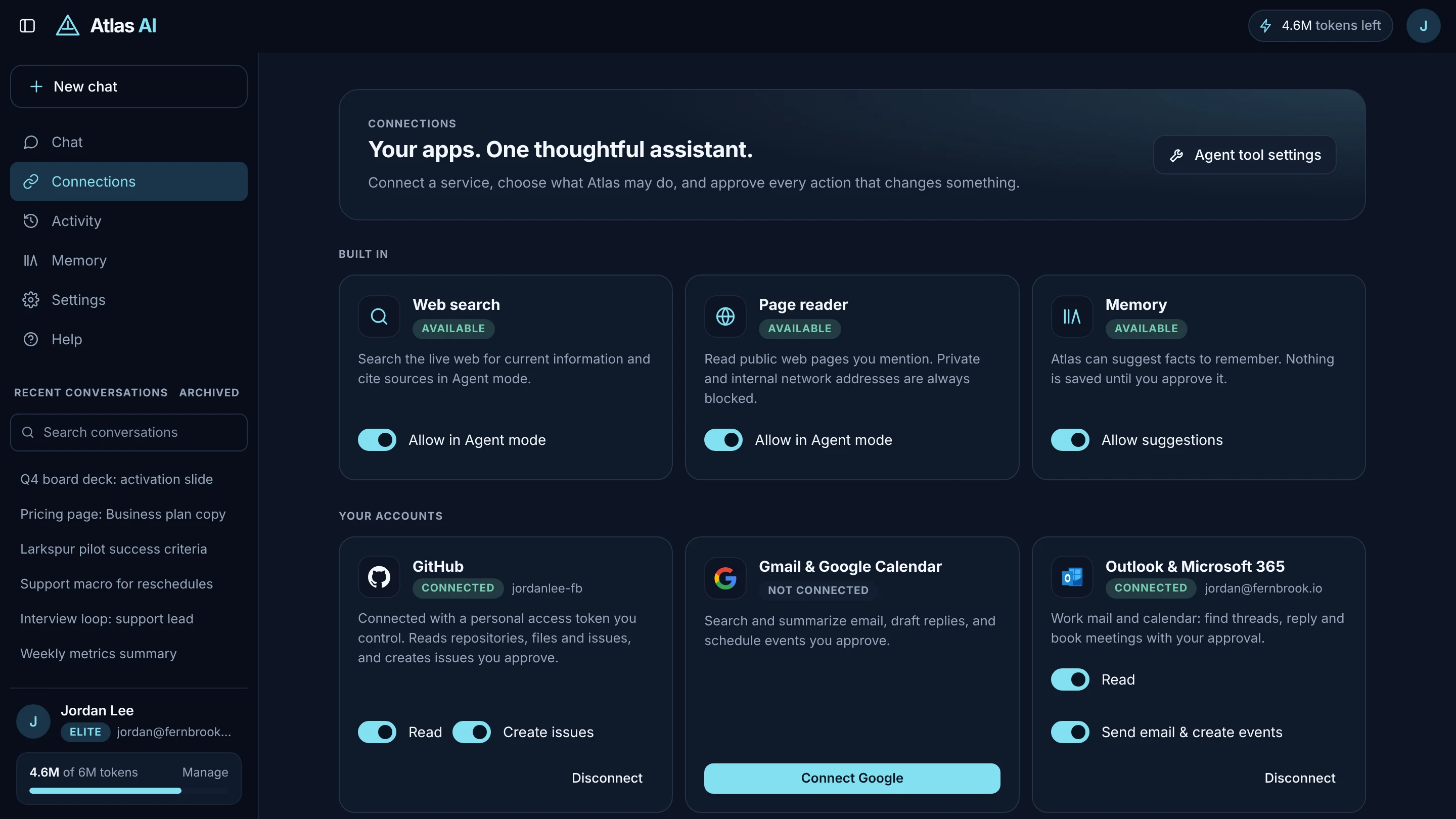
Atlas Connections page with connected apps
Connections in Atlas: each app with its own switches.

Connected apps.

Included with the Pro and Elite plans.

Microsoft Outlook

Mail and calendar for Microsoft 365 and personal accounts.

Reads
Search and read mail; list upcoming events
With your approval
Send email and replies; create events and invite people
Connects with
Microsoft sign-in

GitHub

Repositories, issues and pull requests.

Reads
List repositories; read files; search issues and pull requests; import a repository into Atlas Code
With your approval
Create issues; open pull requests from an Atlas Code project
Connects with
Atlas GitHub App (you pick repositories) or a personal access token

Slack

Channels the Atlas app is invited to.

Reads
List channels; read recent messages (up to 30 days per request)
With your approval
Post a message to a channel you named
Connects with
Slack sign-in

Linear

Issues across your teams.

Reads
Search issues or list yours; read an issue with comments
With your approval
Create issues
Connects with
Linear sign-in

Jira

Issues in the Jira site you allow.

Reads
Search with words or JQL; read an issue with comments
With your approval
Create a Task, Bug or Story
Connects with
Atlassian sign-in

Notion

The pages and databases you share.

Reads
Search shared pages; read a page
With your approval
Create a page under a shared page
Connects with
Notion sign-in; you choose the pages

Postiz

Social scheduling for X, LinkedIn, Threads, Bluesky, Mastodon and more.

Reads
List your connected social channels
With your approval
Publish or schedule text posts
Connects with
Your Postiz API key (cloud or self-hosted)

Google Workspace In Google review

Gmail, Google Calendar and Google Drive.

Reads
Search and read Gmail; list calendar events; search and read Drive files (Docs, Sheets, Slides, PDFs, Office files)
With your approval
Send email; create events and invite people
Status
Built and tested. Gmail and Drive use scopes Google restricts, so opening them to everyone waits on Google’s verification review.

Built in, on every plan.

Web search

Current information from Google results, Brave, Tavily, Exa and Perplexity, with sources.

Page reader

Opens and reads public pages. Private networks are blocked.

Memory

Facts you approve, used when they help, deleted when you say.

Files on your PC

In the Windows app, folders you approve: list, search and read, including Word and PDF.

How connections are protected.

  • Encrypted at rest. Access tokens and API keys are stored encrypted (AES-256-GCM), refreshed automatically and never shown to the AI model.
  • Read-only until you say otherwise. Sending, posting and creating are switched on per app, and each action still asks for your approval.
  • Fetched on demand, not stored. Atlas keeps no copy of what it reads from your apps beyond the answer in your conversation. Slack messages are never written to Atlas’s database.
  • Never for training. Connected-app data is never used to train AI models, and never sent to an engine whose terms allow training.
  • Disconnect cleanly. Disconnecting deletes the stored token and, where the service supports it (Google, Slack, Linear and the GitHub App), revokes it too.

Put Atlas to work.

Atlas AI is in invite-only early access on the web and Windows.